 ultimate-guide
Locksmith Services for Commercial Offices: A 2026 Guide
Table of Contents
- What Locksmith Services for Commercial Offices Include
- Commercial Office Lock Rekeying and When You Need It
- Master Key Systems for Businesses: Hierarchy and Control
- Commercial Access Control Systems and Installation
- Commercial Door Closer Adjustment and Maintenance
- Emergency Lockout Assistance and 24/7 Response
- Choosing the Right Commercial Locksmith Partner
- Frequently Asked Questions
Last Updated: October 12, 2026
What Locksmith Services for Commercial Offices Include
Commercial offices face security challenges far beyond a single residential lock. Managing access for dozens of employees, protecting sensitive information, and ensuring life safety compliance expands the scope of locksmith services for commercial offices dramatically.
The foundation of any commercial security strategy is understanding what services actually solve your problem. A retail storefront needs different protections than a medical office, which differs again from a warehouse or corporate headquarters.
Commercial Office Lock Rekeying and When You Need It
Lock rekeying reconfigures the internal pin structure of an existing lock so old keys no longer work and new keys do.
You need commercial office lock rekeying in several common scenarios.
The timeline for rekeying depends on the number of locks involved and whether all locks will operate on a single master key system.
One detail most guides miss: rekeying preserves your existing hardware quality.
Master Key Systems for Businesses: Hierarchy and Control
A master key system is a hierarchical structure where individual keys open specific locks while a master key opens all locks.
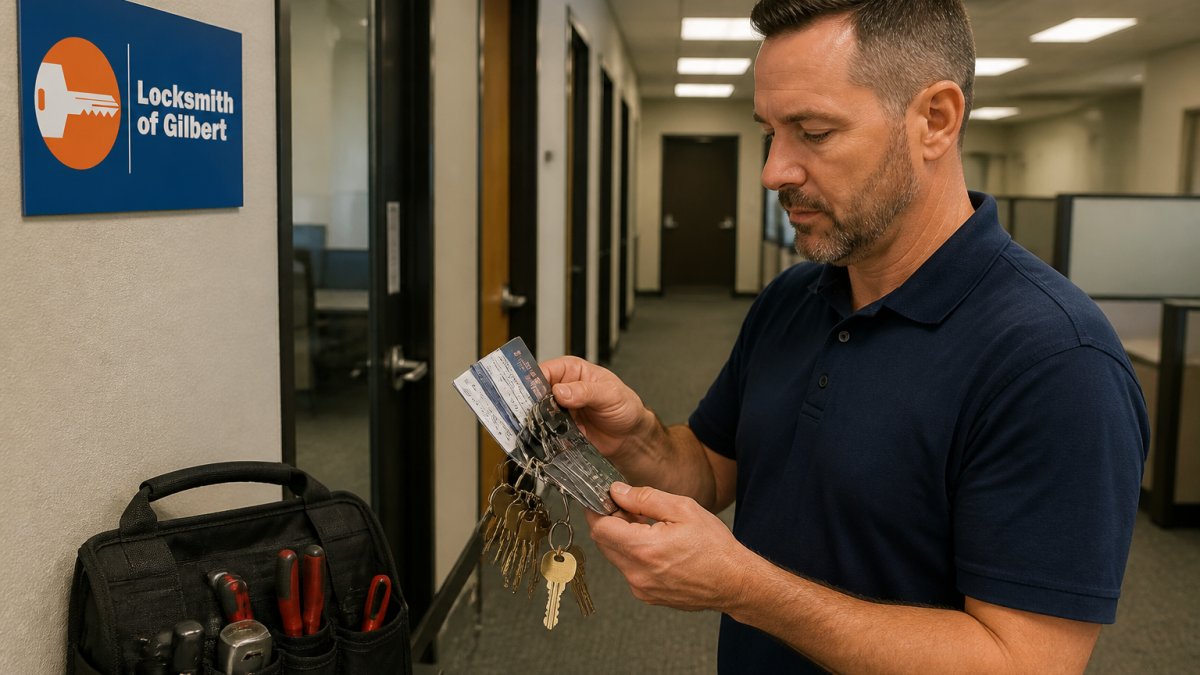
In a typical commercial office master key system, a property manager holds the grand master key that opens every lock in the building.
Designing an effective master key system requires careful planning before any locks are installed or rekeyed.
The real complexity emerges when you modify the system.
Commercial Access Control Systems and Installation
Access control systems replace or supplement traditional locks with electronic credentials: key cards, proximity fobs, PIN pads, mobile credentials, or biometric readers. For commercial offices, the appeal is not just stronger security, it is administrative control.
The three system types, and who each one actually fits
Standalone (offline) electronic locks. Each lock holds its own credential database. No network wiring, no server, no subscription. You program users at the door or with a handheld device.
Networked (on-premise) systems. Readers connect to a controller and server inside the building.
Cloud-managed systems. Credentials and rules live on a hosted platform; you administer them from a browser or phone.
A practical decision framework for office managers
Work through these questions in order, the answers usually point to one system type:
- How many doors need electronic control? One or two doors rarely justify a networked system. Ten or more almost always do.
- Do you need a real-time audit trail? Regulated industries, server rooms, records storage, and executive floors usually do. A break room door usually does not.
- Who administers it day to day? If the answer is "whoever is at the front desk," favor cloud or standalone. If you have IT staff, networked is viable.
- How often do users change? High turnover, contractors, and shared suites push you toward cloud or networked, where revocation is instant.
- What is the ongoing budget? Standalone has the lowest recurring cost; networked adds server and IT time; cloud adds a subscription but removes server maintenance.
- What does the base building allow? In leased space, you may be restricted from running cable through common walls or mounting readers on landlord-owned doors.
Installation, in sequence
A typical office access control project moves through five stages: (1) a walk-through to decide which doors get electronic control and which stay mechanical; (2) system design, reader type, communication method, controller location, power; (3) hardware installation, including door prep, electric strikes or mag locks, request-to-exit devices, and wiring; (4) software configuration and credential provisioning; and (5) testing, including fail-safe/fail-secure behavior and egress checks.
Where access control meets life safety and egress
Electronic access control on an egress door is not just a security decision, it is a life-safety decision. Doors along the path of egress must allow occupants to exit without a key, card, or code, and the hardware must release on the building fire alarm. In practice that means:
- Use fail-safe locking (unlocks on power loss) on egress doors, not fail-secure.
- Install a mechanical request-to-exit device (push bar or sensor) so exiting never depends on electronics.
- Tie the access system to the fire alarm so doors release on alarm.
- Keep door closers, panic hardware, and accessible opening force within the limits set by applicable building and accessibility codes.
Requirements vary by jurisdiction, occupancy type, and door location. Verify the specific rules with your local authority having jurisdiction and a qualified installer before finalizing a design.
Integration with your existing locksmith services
Most offices end up hybrid: electronic readers on main entrances, server rooms, and sensitive areas; mechanical locks on interior offices, closets, and storage. That mix only works if planned together. A reader on the front door and a mechanical lock on the IT closet can leave a gap if the mechanical key is not on the same restricted keyway as the rest of the building.
Commercial Door Closer Adjustment and Maintenance
A commercial door closer is a hydraulic or pneumatic device that automatically closes a door after someone opens it.
Maintenance involves regular inspection and lubrication. Door closers accumulate dust and debris that gums up the hydraulic mechanism; periodic cleaning and lubricant keeps them functioning smoothly.
Many businesses overlook door closer maintenance until a device fails completely, leaving the door unable to close and creating security and safety issues.
Emergency Lockout Assistance and 24/7 Response
Commercial lockouts are not just inconvenient, they stop work.
Emergency locksmith response for offices differs from residential lockout service in three ways. First, the hardware is heavier, commercial-grade cylinders, panic bars, electric strikes, and access control readers require different techniques than a residential deadbolt. Second, the stakes are higher, forcing a door can damage a fire-rated assembly, an electric strike, or a controller, and repairs can take days.
What actually causes office lockouts
In practice, the same handful of situations repeat:
- A key holder is unavailable and no one else has a credential for that door.
- A credential or fob was deactivated before the employee finished their last shift.
- A master key was lost and the affected locks were rekeyed, but not everyone received a replacement.
- A door closer, electric strike, or access control reader failed and the door will not release.
Notice how many of these are administrative, not mechanical. Most office lockouts are preventable with planning, not faster response times.
Planning that prevents most emergencies
A short continuity plan eliminates the majority of after-hours calls:
- Name at least two key holders per zone. One person is a single point of failure; two is a plan.
- Keep a sealed emergency key or credential set in a secure location with a documented, auditable checkout process.
- Provision credentials before the start date for new tenants and employees, and deactivate them the day someone leaves, not the week after.
- Document which doors are mechanical and which are electronic, and note the fail-safe/fail-secure behavior of each electronic door.
- Test emergency release and egress hardware on a schedule, not only after a failure.
- Keep your locksmith's after-hours contact on file with the property manager, the security desk, and the front desk.
Phased implementation: changing access without stopping work
When you rekey, upgrade hardware, or roll out access control across an occupied office, the goal is continuity. A phased approach keeps the business running:
- Phase 1, Audit and map. Walk every door, record current hardware, keyways, and access rules, and identify which doors are on the path of egress.
- Phase 2, Stage hardware and credentials. Order cylinders, readers, and credentials in advance so installation day is not a supply-chain delay.
- Phase 3, Install in zones, after hours. Work floor by floor or suite by suite, ideally outside business hours, so each zone is fully functional before the next begins.
- Phase 4, Overlap credentials briefly. During the transition, allow old and new credentials to work for a short, defined window so no one is stranded mid-project.
What to expect when you do call
A professional commercial response starts with a phone assessment: which door, what hardware, who is authorized to grant access, and whether the door is on the path of egress. The locksmith then dispatches with tools and hardware appropriate to that door, not a generic residential kit.
After-hours and emergency service typically carries a premium over standard business-hours rates because of the immediate availability required. The exact amount depends on the time, the door, and the hardware.
Choosing the Right Commercial Locksmith Partner
Selecting a commercial locksmith requires evaluating key criteria beyond price.
Start by verifying credentials and licensing. A legitimate commercial locksmith holds appropriate state licensing and carries liability insurance.
Experience with your specific property type matters.
Response time and availability are critical. A locksmith who cannot reach your location quickly during an emergency creates business disruption.
Communication and transparency matter throughout the relationship.
| Selection Criteria | What to Look For | Why It Matters |
|---|---|---|
| Licensing & Insurance | State license + liability coverage | Protects you legally if something goes wrong |
| Local Availability | Service area includes your location | Ensures rapid response during emergencies |
| Commercial Experience | References from similar building types | Demonstrates understanding of your security needs |
| 24/7 Response | On-call availability after hours | Critical for unexpected lockouts or security issues |
| Transparency | Clear pricing and detailed explanations | Prevents surprise costs and builds trust |
Commercial office security isn't one-size-fits-all.
Frequently Asked Questions
What locksmith services do commercial offices need most?
Commercial offices typically need lock installation and replacement, rekeying when staff changes, master key system setup for property managers, access control installation, emergency lockout assistance, and routine maintenance of door closers and hardware. The specific services depend on your office size, number of entry points, employee turnover rate, and security requirements. A professional locksmith can assess your office and recommend a tailored security plan.
When should a business rekey its office locks?
Rekey your office locks when employees leave, especially those with unsupervised key access. Also rekey after tenant turnover in multi-unit buildings, when keys are lost or stolen, after a security breach, or when moving to a new office location. Many businesses rekey annually as part of regular security maintenance. Rekeying changes the internal pins of existing locks so old keys no longer work, preserving your door hardware investment.
What is the difference between rekeying and replacing a commercial lock?
Rekeying modifies the internal mechanism of your existing lock so it works with a new key, keeping the same hardware in place. Replacing removes the old lock entirely and installs a new one. Rekeying is faster and less expensive, but replacement is necessary if your lock is damaged, outdated, or incompatible with a master key system. A locksmith can advise which option suits your office security goals and budget.
How often should commercial door closers be inspected?
Inspect commercial door closers at least twice yearly, spring and fall, or more frequently in high-traffic areas. Regular inspection catches wear, hydraulic fluid leaks, and tension issues before they affect door function or accessibility. Proper door closer adjustment ensures doors close safely, comply with building codes for emergency egress, and prevent security gaps. Professional maintenance extends hardware life and reduces unexpected failures.
How can an office improve its door and lock security?
Start with a security assessment to identify weak points: outdated locks, missing or damaged hardware, unsecured common areas, and poor key management. Then upgrade to high-security locks, install access control systems for sensitive areas, implement a master key hierarchy, and establish key control procedures. Add door closers, reinforce strike plates, and secure mailbox locks. Regular maintenance and employee training on security practices complete a solid office security plan.
What is a commercial locksmith?
A commercial locksmith is a licensed professional who installs, repairs, and maintains locks and security hardware for businesses. They handle office rekeying, access control systems, master key systems, emergency lockouts, and door closer service. Commercial locksmiths understand the specific security needs of offices, retail spaces, warehouses, and multi-tenant buildings. They work with property managers, landlords, and business owners to design and maintain security solutions that protect assets and ensure employee safety.